
How Australian businesses are making the move to cloud servers.

From building firms and accountants to renovation crews and trades businesses — here's how our clients replaced costly, complicated on-premises infrastructure with a single managed cloud server that works from any device, anywhere.

Building and Permits — Melbourne Case 01

Building permit company replaces ageing on-premises server and avoids $37K hardware purchase

The Challenge

Their on-premises server was reaching end of life. A replacement would have meant a significant capital outlay — new hardware, Windows Server licences, MS Office licences, installation, and the ongoing cost of someone to maintain it all. With 24 users relying on the server daily, downtime was not an option.

The Solution

We migrated the entire team to a Remote Server cloud server in 5 days. All 24 users were set up with individual accounts and granular folder permissions — administration staff accessing permit documents and shared drives, while processing teams were scoped only to their own project folders. No new hardware was purchased. All software was re-deployed on the cloud server under included licences.

The Outcome

The business avoided an estimated $37,000 in upfront hardware and licensing costs. The server is maintained, patched and backed up by us — the business no longer needs to think about it.

24users migrated to the cloud
5 daysfrom start to fully operational
$37Khardware and licence costs avoided

Key Benefits

  • No server hardware to purchase, house or maintain
  • MS Office and Windows Server licences included in the monthly fee
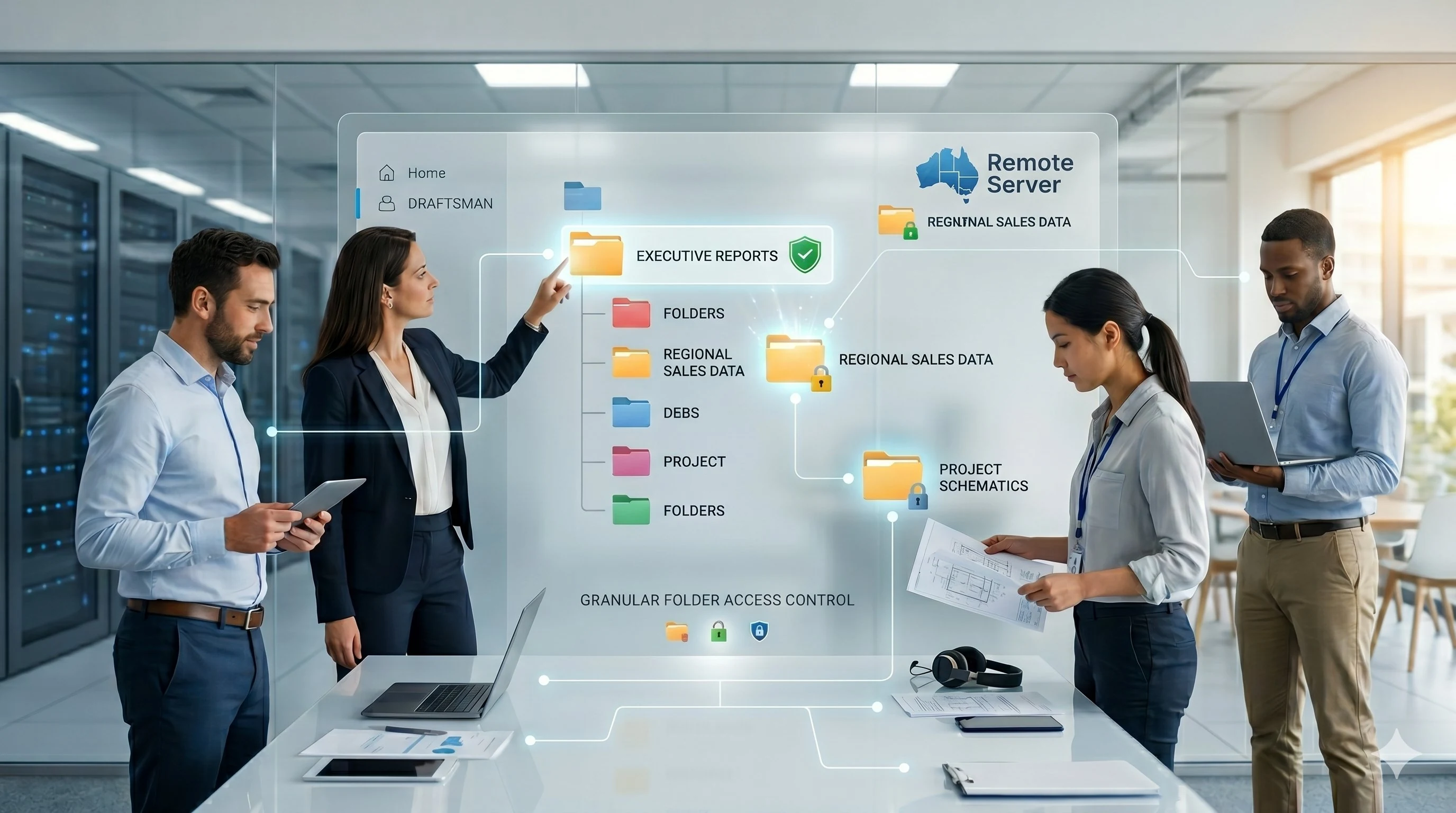
  • Granular folder-level access control per team and role
  • 90-day file recovery and 30-day full server restore included
Accounting — Melbourne Case 02

Accounting firm centralises files and enables secure remote access for a dispersed team

The Challenge

Five staff working from different locations — home offices and client sites — each maintained their own local copies of files. Version control was a constant problem. Emailing documents back and forth created security risks and wasted time. The firm needed a single source of truth that everyone could access securely from wherever they were working.

The Solution

We set up a Remote Server cloud server for 5 concurrent users. All company files — client records, working papers, tax returns, correspondence — were migrated to a structured folder system on the server. Each staff member connects from their own device using Microsoft Remote Desktop. Role-based folder access ensures the accounts team sees only what they need, while principals have full visibility across all files.

The Outcome

The team now works from a single centralised server regardless of location. File conflicts are eliminated. Sensitive client data is stored securely on an Australian-hosted server with dual-site backups — not scattered across personal laptops.

5users across multiple locations
1central server replacing scattered local files
100%of the team working remotely from day one

Key Benefits

  • Single source of truth — one set of files, always current
  • Secure access from any device, any location
  • Role-based permissions keep sensitive client data protected
  • Australian-hosted with 90-day file recovery
Renovation and Construction — Brisbane Case 03

Renovation company gives office and on-site teams instant access to drawings and documents from any device

The Challenge

With 2 staff in the office and 4 working across active renovation sites, sharing drawings and project documents was a daily frustration. Files were emailed, stored on USB drives, or saved to personal phones. Updates made at head office did not reach site crews in time, and decisions were regularly made on outdated drawings.

The Solution

We deployed a Remote Server cloud server for 6 concurrent users. All project drawings, specifications, contracts and site documents are stored centrally. Office staff manage and update files in real time. Site crews connect from tablets, laptops or smartphones — they see the same files, the same versions, the moment they are updated. Each user's access is scoped to their role: site supervisors see drawings and site folders, admin staff manage contracts and accounts.

The Outcome

The entire team — whether at a desk or standing on a job site — works from a single live set of documents. Outdated drawings are no longer a risk. Project communication is faster and decisions are made on accurate, current information.

6users across office and active sites
Any devicePC, Mac, tablet or smartphone on-site
Instantaccess to updated drawings from any location

Key Benefits

  • Live document access from any device — including tablets on active job sites
  • No more emailing files or working from outdated drawing versions
  • Role-scoped access — site crews see what they need, nothing more
  • Business data backed up automatically, not stored on USB drives or personal devices
Pergola Design and Installation — QLD Case 04

Pergola business consolidates on-premises server and Google Drive onto one cloud platform — 15+ users, one monthly cost

The Challenge

This growing QLD business was running a patchwork setup: an ageing on-premises server for core functions, and Google Drive for file sharing among field teams. Files lived in two places, creating constant confusion. With 6 staff in the office and 9+ in the field, document access was inconsistent and managing permissions across two platforms was an ongoing overhead. New server hardware was being quoted to replace the failing on-prem unit — an unwanted capital expense.

The Solution

We consolidated the entire business onto a single Remote Server cloud server. All files previously split across the local server and Google Drive were brought into one structured folder system. Field teams access the server from tablets and laptops on-site via the Microsoft Remote Desktop app. User access is controlled at folder level — installers see their allocated project folders, the design team accesses drawings and specifications, and administration manages the full file structure including accounts and customer records.

The Outcome

The business eliminated the need for new on-premises hardware and discontinued their Google Drive subscription for file sharing. Everything — files, applications, backups — sits on one managed platform. New team members are provisioned with exactly the access their role requires.

15+users across office and field
$0spent on new server hardware
2 into 1platforms consolidated into one

Key Benefits

  • Eliminated the need for new on-premises server hardware entirely
  • Replaced Google Drive file sharing with a centralised, access-controlled server
  • Granular role-based access — installers, designers and admin each see only their folders
  • One predictable monthly cost replacing hardware, licences and multiple subscriptions
Built into every deployment

Every user sees exactly what their role requires — nothing more, nothing less.

One of the most valuable features our clients discover after moving to Remote Server is granular folder-level access control. Rather than everyone accessing everything — or locking things down so tightly that nobody can find anything — each user's access is mapped precisely to their role within the business.

This is configured as part of your onboarding. You tell us who needs access to what, and we build the permission structure around your actual team. As staff join or change roles, access is updated immediately.

Ask us how access control works →

Role-based access — real examples

How a typical client maps folder permissions:

  • Directors and principals — full access to all company folders and financials
  • Accounts team — accounts, invoices and scanned documents folder only
  • Site supervisors — drawings, specifications and their allocated project folders
  • Field installers — read access to assigned job folders and installation specs
  • Admin staff — shared documents, forms, templates and the scanner folder
Across our clients

What businesses consistently experience.

These are the outcomes that appear across every industry we work with — construction, trades, professional services, accounting and more.

$0

Capital outlay on hardware

≤ 1 wk

Typical migration window

Any device

PC, Mac, tablet, smartphone

90 days

File recovery window

Per role

Granular folder-level access

1 bill

Replaces server, licences and IT costs

Sound familiar? Let's talk about your setup.

Whether you're replacing an ageing server, consolidating tools, or just need your team to work from anywhere — tell us your situation and we'll put together a clear proposal.